ucsd-creative-robotics
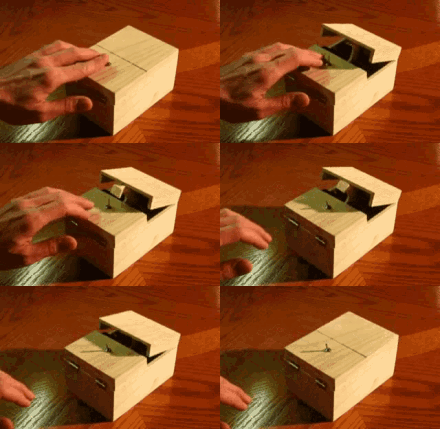
A useless machine. small, but expressive
Making Things Move
You will create a simple servo plus dev board construction with a stationary base and a moving part. This could be a bar of soap that waves hello. It could be a dog that wags its tail, or something more absurd. Your stationary base should hold the servo (so measure the base of your servo), and the moving part should attach to the servo horn.
You are responsible for this result as an object. You could model and fabricate your own 3d model or modify an existing object.
Requirements
- Your submission must have at least two parts: a stationary base and a moving part. You could have more.
- You are responsible for your result as an object.
- Use the existing servo code for the dev board together with a micro servo from your kit.
- Create a combination of motion plus object that is expressive, in some sense. It could be a figure waving hello. Or a shy object that turns away from you. Describe your expressive motion in your documentation.
- BONUS: Add a 2nd Degree of Freedom (DOF).
Process
- Sketch to come up with an idea for base and moving part.
- What will you animate? Is it an existing object you modify (for instance grafting an action figure arm onto a bar of soap)? Will you fabricate two parts (laser cut, 3d print)?
- Gather your supplies. (servo, power supply, dev board, physical objects/”thing to be animated”)
- Get the simple servo examples working from in-class.
- Find a good way to attach the objects to your servo.
- Program a behavior for your design.
- Upload your code frequently to the dev board to see how it looks. Iterate on your code.
- Document and demonstrate.
Submission
- Canvas:
- Arduino code as .zip file.
- Photograph your parts and the final assembly.
- Record a video of your object in motion.
- (use the naming convention hw2_Lastname_1.zip, hw2_Lastname.jpg and _hw2_Lastname.mp4 for the files.)
- Sketchbook Updates:
- Document your sketches and any plans/designs.
- Add all of the images, photos, diagrams, and links to the video to your sketchbook. Make sure video is playable by Jennifer and me!
DUE 1/20 (Tuesday) to Canvas.
References
- See examples in our week 2 slides.